The Quick Answer
Warehouses are unforgiving environments for cable. Cable that works fine in an office for 30 years gets crushed by a forklift in three months in a warehouse. The right cabling strategy treats the wired network as infrastructure that must survive industrial conditions, while the wireless network handles the mobile equipment that makes warehouse operations possible.
The Wired vs Wireless Decision Framework
The first design question for any warehouse: which equipment goes wired and which goes wireless? The answer is not "everything wireless" or "everything wired." Both networks have to work, and the line between them is usually clear once you list the equipment.
| Equipment | Connection Type | Why |
|---|---|---|
| Handheld barcode scanners | Wireless | Mobile by design, must move with the picker |
| Voice-pick headsets | Wireless | Bluetooth to phone or direct Wi-Fi connection |
| Forklift-mounted terminals | Wireless | Forklifts move; cable would catch and tear |
| Receiving / shipping workstations | Wired | Fixed location, high bandwidth for label printing and image capture |
| IP security cameras | Wired (PoE) | Power and data over single cable, fixed mounting |
| Label printers (zone) | Wired | Fixed location, high reliability requirement |
| Conveyor controls and PLCs | Wired | Real-time control, no tolerance for wireless interruption |
| Time clocks | Wired | Fixed wall mounting, often PoE |
| Building automation (HVAC, lighting) | Wired | Fixed sensors, low bandwidth, high reliability |
The rule of thumb: if it moves, it goes wireless. If it stays put, it goes wired. Mobile equipment cannot tolerate cable; fixed equipment cannot tolerate wireless interruption.
Wireless Access Point Density and Placement
Warehouse Wi-Fi is harder than office Wi-Fi because of the environment: tall ceilings reduce signal strength at floor level, dense pallets attenuate signal severely, metal racking reflects signal in unpredictable ways, and aisles create canyon-like RF channels.
Density Planning
Plan one AP per 2,500-5,000 square feet of floor space, with denser placement where scanners operate continuously. Tighter spacing helps in:
- Active pick zones: Where pickers walk aisles continuously and need uninterrupted scanner connectivity.
- Receiving and shipping: High device density and constant scanning during inbound/outbound activity.
- Cross-dock zones: Where product transitions quickly and scanner reliability is critical.
Looser spacing works in:
- Bulk storage areas: Where activity is intermittent and RF demand is low.
- Mezzanine offices: Where one or two APs cover the entire administrative space.
Placement Height
Mount APs at warehouse ceiling height (24-40 feet typically), aimed downward into aisles. The exception is where racking interferes: in those cases, mount APs at the rack tops (12-20 feet) so they cover the aisle they sit above without competing with adjacent aisles' APs. Read our Wi-Fi access point placement guide for more detail.
Aisle Geometry
Warehouse aisles act like RF waveguides. Signal travels well down the aisle but does not penetrate well across pallets. APs placed in the middle of aisles (suspended between two racks) often perform better than ceiling-mounted APs that fight rack attenuation. Some warehouse designs hang APs from purpose-built drop poles or specialty mounts that get them into the aisle space.
For overhead pole mounting and magnet mounting in industrial environments, see our Xtender pole and magnet mount options.
Cable Pathway Design
Warehouse cable pathways have to survive forklift traffic, falling debris, ambient dust, and decades of operation without physical inspection. The design rules are stricter than office.
Above 14 Feet
Cable runs above 14 feet on walls or in cable tray suspended from the structural ceiling. This clears even the tallest forklift masts plus safety margin. Cable below 14 feet must be in conduit or behind walls; never run cable on the warehouse floor or hung at picker level.
Cable Tray vs J-Hooks
Open-top cable tray is the standard for warehouse cable distribution. Suspended from the structural ceiling at 18-24 feet, tray carries main cable runs across the warehouse to drop points where individual cables descend in conduit to floor-level equipment. J-hooks work for shorter runs and lighter loads but are less robust than tray for the long unsupported spans common in warehouses. Read our cable tray vs J-hooks comparison for the full breakdown.
Drop Points
Where cable descends from overhead tray to floor-level equipment (workstations, time clocks, label printers), it runs in metal conduit (EMT or rigid) to protect against impact. The conduit terminates in a wall-mounted box where the cable transitions to a keystone jack and faceplate. This protects the cable from forklift damage during the most vulnerable section of its run.
Crossing Aisles
Cable that crosses aisles runs in tray suspended from the ceiling, never on the floor or in low conduit that would interfere with forklift travel. Plan cross-aisle runs at ceiling height during the design phase to minimize the number of crossings.
Cable Selection for Industrial Environments
Category
Cat6 is the standard for most warehouse horizontal runs because the bandwidth is sufficient for IP cameras, workstations, and AP backhaul, and the cost is lower than Cat6A. Cat6A is appropriate for AP uplinks where 10G is needed for Wi-Fi 6E and Wi-Fi 7, and for fiber-to-copper transitions in high-bandwidth backbones. Read our Cat6 vs Cat6A comparison for the detail.
Jacket Type
Plenum-rated cable is required where ceiling spaces serve as HVAC return air, which is common in warehouses with conditioned office mezzanines. For unconditioned warehouse main floors, riser-rated cable (CMR) is typically acceptable. For runs that pass through outdoor spaces (loading dock canopies, exterior conduit, between buildings), use outdoor-rated cable with UV-resistant jackets.
Temperature Rating
Standard cable is rated for 0-60°C (32-140°F). Unconditioned warehouse spaces, especially dock door areas and uninsulated buildings, can exceed these limits in summer and winter. For these areas, specify industrial-rated cable with -40 to +75°C operating range. The premium is small relative to the cost of replacing failed cable.
Shielding
Most warehouses do not require shielded cable. Exceptions include facilities with significant variable-frequency drive (VFD) populations on conveyor systems, induction heating equipment, or radio communications systems. In those environments, F/UTP or S/FTP cable mitigates EMI. Use Cat6A/7 shielded connectors with proper drain wire termination.
IDF Placement and Backbone Design
IDF Spacing
The 100-meter horizontal channel limit drives IDF placement. In a large distribution center (200,000+ sq ft), expect 4-8 IDFs distributed across the building plus an MDF. Smaller warehouses (50,000-100,000 sq ft) can typically be served by 2-3 IDFs plus an MDF.
IDF Environmental Requirements
Warehouse IDFs face the same heat challenges as office IDFs but worse: ambient warehouse temperatures in summer can reach 100°F+, and the IDF rack adds another 15-25°F of internal heat from active equipment. Specify dedicated mini-split cooling in every IDF, sized for full equipment load plus cooling buffer. UPS battery life degrades fast at high temperatures, so cooling matters for both equipment and battery longevity.
Fiber Backbone
Single-mode fiber backbone connects each IDF to the MDF. Multi-strand fiber (12-strand minimum, 24-strand for future expansion) gives ample capacity for 10G/40G/100G uplinks now and in the future. Run fiber in dedicated conduit or in the upper layer of cable tray (above copper) to minimize physical risk.
Common Warehouse Cabling Mistakes
- Under-deploying access points. One AP every 5,000 sq ft sounds reasonable until racks block signal at floor level. Always do a coverage survey with the actual racking in place, not a paper plan.
- Mounting APs too high without density adjustment. Higher AP mounting means weaker signal at floor level. Compensate with denser placement or plan to mount APs lower in problem zones.
- Running cable below 14 feet without conduit protection. Forklift damage is a guaranteed failure mode. Cable on walls below mast height must be in conduit.
- Using indoor-rated cable in unconditioned spaces. Cable jacket cracks from temperature cycling, conductors corrode, and the install fails within years. Specify industrial-temperature cable for any space without HVAC.
- Inadequate IDF cooling. Warehouse IDFs without dedicated cooling overheat in summer. Plan for active cooling and adequate UPS capacity at the actual operating temperature.
- Skipping the wireless coverage survey. Computed coverage models assume open space. Real warehouses have dense pallets, metal racking, and obstacles that cannot be modeled accurately. Survey before final AP placement.
- Wireless-only design for fixed equipment. Receiving workstations, conveyor controls, and IP cameras need wired connections. Wireless is appropriate only for mobile equipment.
Tools That Work in Warehouse Environments
Warehouse cabling crews need tools that handle long runs, overhead work, and rough conditions:
- Xtender pole for reaching overhead cable tray and pole-mounted APs
- Magnet mount for temporary attachment to steel structure during pulls
- EZ-RJ45 Cat6 connectors for fast, reliable terminations
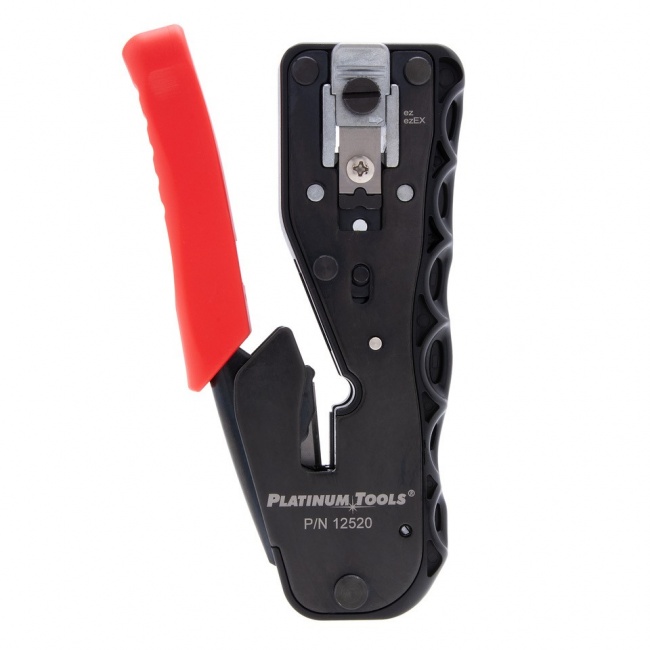
- PTS Pro universal crimper for handling multiple connector types in one tool
- LanSeeker for tone-and-trace work in long warehouse cable runs
- HPH J-hooks (batwing) for high-density cable support in tray
Related Articles
Frequently Asked Questions
How many Wi-Fi access points does a warehouse need?
Warehouse Wi-Fi requires approximately one access point per 2,500 to 5,000 square feet of floor space, with denser placement in pick zones where barcode scanners operate continuously. A 100,000 square foot distribution center typically needs 25-40 access points distributed at ceiling height, with strategic placement at the ends of pick aisles and in receiving and shipping zones. Density depends heavily on rack height, pallet density, and product type because dense storage attenuates RF signal significantly.
What cable category should be used in warehouse environments?
Cat6 is the typical choice for warehouse network cabling. Cat6A is recommended for 10G uplinks to ceiling APs that support Wi-Fi 6E or Wi-Fi 7 and for any backbone runs where bandwidth headroom matters. Most horizontal runs to APs and floor-level equipment can use Cat6 because run lengths are often shorter than the 100-meter limit when IDFs are placed correctly. All cable in warehouse spaces should be plenum-rated if running through HVAC return spaces, and outdoor-rated for any runs that pass through unconditioned spaces or near loading dock doors.
Should a warehouse rely on wireless or wired connections for picking and inventory?
Modern warehouses use both. Wireless serves mobile devices: handheld scanners, voice-pick headsets, forklift-mounted terminals, and tablets. Wired serves fixed equipment: workstations in receiving and shipping, IP cameras, label printers, conveyor controls, and any equipment that does not move. Mission-critical fixed equipment should always be wired. Mobile equipment must be wireless because cable would tangle in moving vehicles. The best designs use wireless for what must be wireless and wired for everything else.
How is cable protected in a warehouse environment?
Cable in warehouses must be protected from forklift impact, falling debris, dust, and temperature extremes. Standard practice runs cable above 14 feet of height (above the highest forklift mast plus safety margin), in cable tray or in conduit, never on the floor or below 14 feet on walls. Cables crossing aisles run in cable tray suspended from the structural ceiling. Where cables must drop from ceiling to floor-level equipment, they run in metal conduit or armored cable to prevent damage from impact and abrasion.
How does temperature affect warehouse network cable?
Standard CMR/CMP cable is rated for 0 to 60 degrees Celsius (32 to 140 degrees Fahrenheit) ambient temperatures. Warehouses without climate control can exceed these limits in summer and during winter cold snaps, especially in dock-door areas and unconditioned mezzanines. For these spaces, specify industrial-grade cable rated for -40 to +75 degrees Celsius, or use refrigerated/heated runs to keep cable within rated temperature. Cable jacket cracking from temperature cycling is a common failure mode in poorly specified warehouse installs.
Build for Industrial Environments
Warehouse cable runs need tools that reach high, work in cold, and produce reliable terminations. Stock the right gear before mobilizing.