The Cable Is the Camera
A surveillance camera install is a cabling install with a camera bolted to one end. The lens, sensor, and analytics all depend on a cable that delivers stable power and clean data through every weather condition the building will see for the next 10 years. Skimp on cable, connectors, or pathway and you'll be back in a bucket lift inside two summers.
This guide covers what to pull, how to size PoE, how to handle the outdoor portion, and how to terminate cleanly so the cameras come up green on the first power-on.
Cable Selection by Environment
Camera locations span every cable environment: indoor ceiling, plenum return air, exterior wall, soffit, parking lot pole, conduit, direct buried, aerial. Each demands a specific cable jacket and rating.
| Run Type | Cable Spec | Jacket Rating | Notes |
|---|---|---|---|
| Indoor ceiling (non-plenum) | Cat6 UTP | CMR (riser) | Standard indoor camera runs |
| Above plenum drop ceiling | Cat6 UTP | CMP (plenum) | Required by NFPA 90A in air-handling spaces |
| Exterior wall, soffit, eave | Cat6 outdoor UTP | UV-resistant black PE jacket | Use even when shielded from direct sun |
| Aerial (pole-to-pole) | Cat6 outdoor with messenger | UV black PE + integrated steel messenger | Lash to messenger or use figure-8 cable |
| Direct burial | Cat6 direct burial | Gel-filled, UV-resistant PE jacket | Bury 24" below grade per NEC where applicable |
| In conduit (with electrical) | Cat6 F/UTP shielded | Per conduit type | Bond shield to switch ground only |
| High-resolution / multisensor | Cat6A F/UTP | Per environment | Required for 2.5G/5G/10G camera uplinks |
PoE Power Budgeting
Most IP camera failures on initial power-up trace back to PoE budget overruns: the switch claims it can power 24 cameras but actually has the budget for 12 fully loaded ones. Always size to the worst case, not the typical.
PoE Standards Quick Reference
- PoE (802.3af): 15.4W at the source, 12.95W at the device. Sufficient for fixed-lens indoor cameras with no IR.
- PoE+ (802.3at): 30W at the source, 25.5W at the device. Standard for outdoor cameras with IR illuminator and heater.
- PoE++ Type 3 (802.3bt): 60W at the source, 51W at the device. Required for PTZ cameras with heater and large multisensors.
- PoE++ Type 4 (802.3bt): 100W at the source, 71W at the device. Reserved for thermal imaging cameras and specialty applications.
Budgeting Worked Example
A site has 16 outdoor PoE+ cameras with heaters, each rated 22W worst case. The total camera draw is 16 × 22W = 352W. Add 25% headroom: 440W required PoE budget. A 24-port PoE+ switch typically ships with a 370W or 400W budget — insufficient. Solution: 24-port PoE++ switch with 720W budget, or two 24-port PoE+ switches each carrying half the camera load.
Always read the switch's PoE budget specification, not the per-port rating. A switch that does PoE+ on every port may still cap total system PoE at 30% of theoretical maximum.
Run-Length Strategy
The IEEE 802.3 standard limits a permanent link to 100 meters total (90m horizontal + 10m patch cords). For PoE, voltage drop becomes a real concern at the upper end of that range, especially with PoE++ loads.
Distance Solutions Beyond 100 Meters
- PoE extender: Powered mid-span repeater. Resets the 100m budget. Each extender adds another 100m. Practical to about 300m total with two extenders.
- Fiber-to-the-camera: Run single-mode fiber to a media converter at the camera pole or building, then a short Cat6 jumper to the camera. Local PoE injection or 12VDC power supply at the converter. Practical to several kilometers.
- Outdoor enclosure with mini-switch: Drop a heated, weatherproof enclosure at a midpoint pole. Run fiber in, distribute Cat6 to multiple nearby cameras. Common for parking lot deployments.
Document the actual measured run length on your as-built. For runs above 80m, certify with a PoE-aware certifier that confirms voltage delivered to the device under load, not just continuity.
Termination at the Camera End
The camera-end termination sees the worst environmental conditions on the entire run. Get this right and the system runs for a decade. Get it wrong and you'll be on a ladder in February troubleshooting an intermittent.
Termination Best Practices
- Strip jacket to manufacturer-spec length; do not nick the conductors
- Maintain pair twist within 1/2 inch of the connector
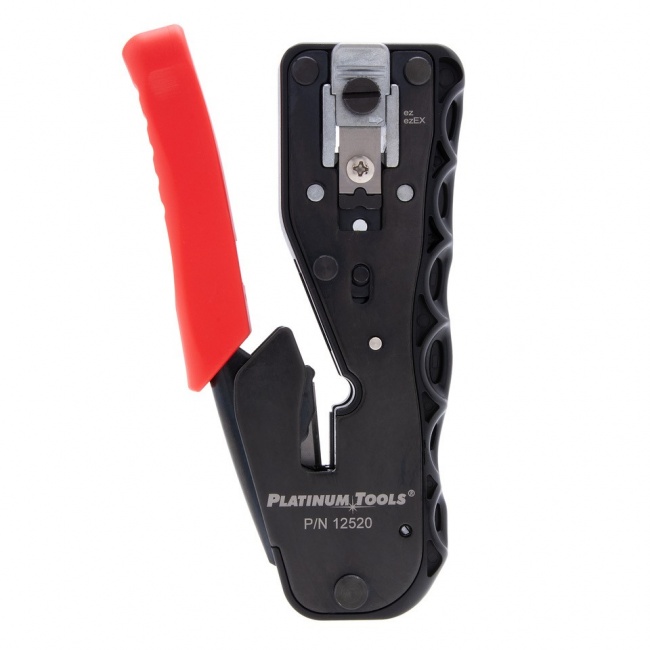
- Use feed-through (EZ-style) connectors so you can verify conductor order before crimping
- Apply weatherproof boot or use cap-and-jacket connector designed for outdoor
- Service loop: leave 18-24 inches of slack at the camera for future re-termination
- Drip loop: form a downward bend below the camera entry so water cannot wick into the housing
- Apply dielectric grease to connector pins on outdoor terminations
- Test PoE class detection and link speed at the camera before mounting
Pathway and Mounting
The cable from the switch to the camera passes through several pathway types. Each requires its own approach to support, separation, and bend radius.
Indoor Routing
Run cable bundles through joist bays on J-hooks every 4-5 feet. Maintain 12-inch separation from parallel power runs. Cross power at 90 degrees. Drop down the wall in the camera bay using a flexible conduit sleeve or low-voltage stud-bored holes.
Wall Penetrations
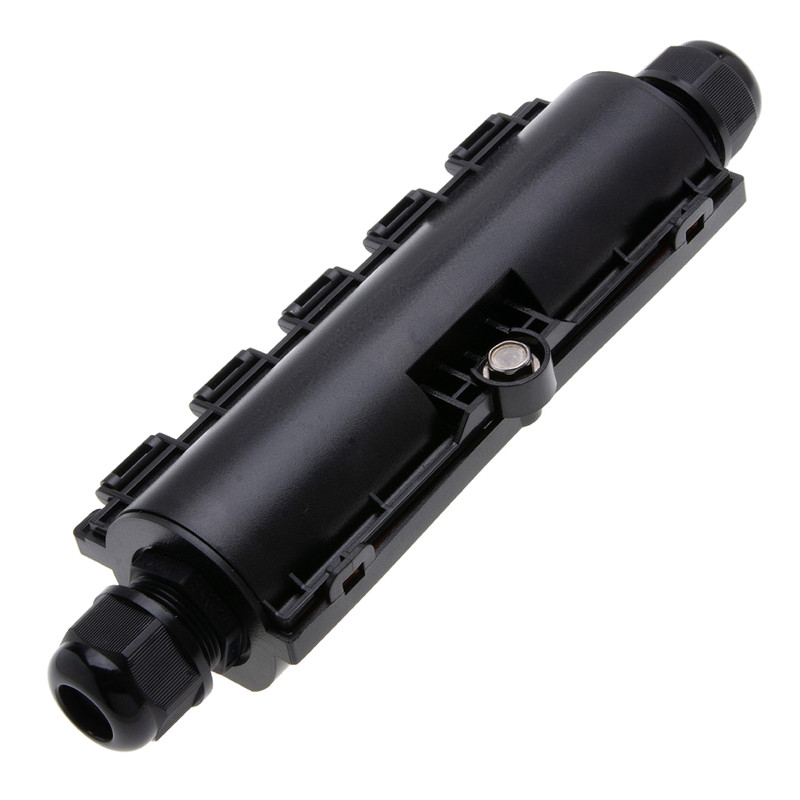
Every exterior wall penetration needs to be sealed. Use a weatherproof wall plate with cable gland, or drill a hole at a downward 15-degree angle and seal with butyl tape and exterior caulk. Never penetrate horizontally — water tracks the cable into the wall cavity.
Exterior Routing
Above-ground exterior runs use UV-rated cable supported every 4 feet on stainless P-clips or in EMT conduit for runs along stucco or block walls. Below-grade runs use direct-burial cable in a 24-inch trench with caution tape 12 inches above the cable. Use schedule 80 PVC where the cable transitions from underground to above grade — UV breaks down PVC at the transition zone faster than buried portion.
Camera Switch Considerations
The switch supporting cameras is not a generic data switch with PoE turned on. Look for these features:
- Sufficient PoE budget: Sized to worst-case load + 25% headroom (see budgeting section above)
- Per-port PoE diagnostics: Ability to see actual wattage drawn per port from the switch CLI or web UI
- Surge protection: Camera switches often live at the back of a closet near electrical service entrance; lightning surge through a long outdoor run can take down the entire stack
- Layer 2/3 features: VLAN support to isolate camera traffic from corporate data
- Auto-power recycle: Detects unresponsive cameras and power-cycles the port automatically
- Bandwidth headroom: Aggregate uplink should be at least 1.5x the sum of camera bitrates at peak (motion all cameras simultaneously)
Recording and Storage Considerations
The cable side of the install supports the recording side. Even the best cabling fails to deliver value if the NVR or VMS lacks bandwidth or storage to retain footage. Quick reference:
- 4MP camera at 15fps H.265: Roughly 4 Mbps average
- 8MP camera at 15fps H.265: Roughly 8 Mbps average
- Multisensor (4× 4MP) at 15fps: Roughly 20 Mbps average
For 30-day retention at 24/7 recording: 4MP camera = ~1.3 TB/month; 8MP camera = ~2.6 TB/month. Size NVR storage and bandwidth accordingly. Use motion-only recording where the use case allows — typical bandwidth and storage drops 60-80% versus continuous.
Recommended Products
The following CrimpShop products are commonly stocked for surveillance camera install kits:
Related Articles
- How to Terminate PoE Cable Properly — Deeper dive on PoE power budget math, voltage drop, and heat.
- Waterproof RJ45 Connections: Outdoor Ethernet Guide — Cable selection and weatherproofing for exterior runs.
- Cat6 vs Cat6A: What's the Difference? — When to step up cable category.
Frequently Asked Questions
What cable should I use for IP surveillance cameras?
Cat6 UTP rated for the environment is the standard for most IP cameras. Use Cat6 CMR (riser) for indoor runs, Cat6 CMP (plenum) above drop ceilings in plenum spaces, and Cat6 outdoor-rated direct burial or aerial cable for exterior runs. Cat6A is recommended for cameras requiring 2.5G+ uplinks (high-resolution multisensor and 8K cameras) or runs over 70 meters where heat from PoE++ becomes a factor.
How far can I run cable to a PoE camera?
100 meters (328 feet) is the IEEE 802.3 standard limit for both data and power. Stay under 90m for the permanent link to leave 10m for patch cords. For runs longer than 100m, use a PoE extender (effectively a powered repeater that resets the 100m budget) or a fiber-to-the-camera media converter with local 12VDC or PoE injection at the camera location.
Do I need shielded cable for outdoor camera runs?
Outdoor-rated UTP is sufficient for most exterior camera runs as long as you avoid running parallel to high-voltage power for long distances. Use shielded F/UTP for runs in conduit shared with electrical, runs near large motors or HVAC equipment, or any aerial run paralleling utility power. Bond the shield to ground at one end only — typically the switch end — to prevent ground loops.
How do I budget PoE for a multi-camera site?
Add up the worst-case power draw of every camera (including IR illuminators, heaters, and PTZ motors), multiply by 1.25 for headroom, then size the switch's PoE budget accordingly. A PoE+ camera with heater can draw 25.5W; a PoE++ multisensor can draw 60W. A 24-port PoE+ switch with a 370W budget supports about 14 fully loaded PoE+ cameras, not 24. Always check the camera's worst-case (cold weather, IR on) draw, not the typical.
Should outdoor cameras have weatherproof connectors at the camera end?
Yes. Use IP65 or IP67 rated weatherproof RJ45 boots or weather-rated junction boxes at every exterior camera location. Most cameras include a sealing gland for the cable entry, but the connector itself sits inside the camera housing or pigtail and needs protection from condensation. Apply dielectric grease to the connector contacts and seal the gland with the supplied gasket.
Stock Camera Install Kits with Confidence
CrimpShop carries the EZ-RJ45 connectors, crimp tools, and cable testers that surveillance integrators rely on for reliable, weatherproof IP camera installs.
Shop Surveillance Cabling Tools