The Quick Answer
Buyers no longer ask whether the home has structured wiring. They ask which rooms have drops, where the Wi-Fi access points go, and whether the SMC has space for their network gear. The builder who answers those questions confidently with a clear spec wins the buyer who would have built around the deficiency otherwise. This is not a luxury upgrade anymore; it is a baseline expectation.
Standard Builder Package
Most builders offer 2-3 tiers of structured wiring to give buyers choice without overwhelming the upgrade list.
| Tier | Drops | Inclusions |
|---|---|---|
| Basic | 8-12 Cat6 | SMC, primary TV wall, master bedroom, home office, ceiling Wi-Fi (1) |
| Enhanced | 15-20 Cat6/Cat6A | Basic + all bedrooms, second TV wall, kitchen, 2 ceiling APs, security camera drops (2-4) |
| Premium | 25-35 Cat6A | Enhanced + outdoor APs, whole-home audio, fiber backbone-ready, smart home dedicated runs, 6+ camera drops |
Standardize Across Floor Plans
Builders running 3-5 floor plans should standardize the structured wiring package on each plan. Document the exact drop locations on the plan drawings. Pre-print the SMC layout so the same template applies to every house. Standardization keeps subcontractor pricing predictable and avoids one-off design work on every job.
Room-by-Room Drop Planning
Family Room / Great Room
Two drops at the primary TV wall (TV plus streaming device or game console). Two more drops on the opposite wall for furniture flexibility. One ceiling drop in the room center for Wi-Fi AP placement.
Kitchen
One drop at the desk nook or "drop zone" where a tablet may dock. One drop near the refrigerator for smart appliances (some refrigerators now have ethernet). One ceiling drop for kitchen Wi-Fi or smart speaker integration.
Master Bedroom
Two drops at the TV wall, two drops on the desk wall (master often doubles as office space). Optional ceiling drop for AP if the home has a large master.
Secondary Bedrooms
One drop on the desk wall and one drop on the bed wall in each bedroom. Children's bedrooms benefit from drops because game consoles, smart TVs, and homework stations all benefit from wired connections.
Home Office
Two drops at desk height for workstation and printer. Optional ceiling drop for AP coverage.
Garage
One drop in a wall-mounted box for garage tablet, security cameras, EV charger telemetry, or future home gym equipment.
Outdoor Areas
Drops for outdoor security cameras, outdoor Wi-Fi APs (covered patio mount), and outdoor TV (if covered patio includes one). Use outdoor-rated cable from the SMC to outdoor termination boxes.
Ceiling AP Locations
Plan ceiling Wi-Fi access points for full home coverage. A typical 2,500 sq ft single-story home needs 2-3 APs. Two-story homes often need 3-4. Place APs in central locations on each floor, away from large metal objects (HVAC units, refrigerators) that block signal. Read our Wi-Fi access point placement guide for full detail.
SMC Selection and Placement
Sizing the SMC
SMC enclosures come in standard sizes:
- 14-inch enclosure: Holds 8-16 patch panel ports plus a small router. Good for basic packages.
- 21-inch enclosure: Holds 16-32 patch panel ports, a router, and a small switch. Standard for enhanced packages.
- 28-inch or wall-mount rack: Holds 32+ patch panel ports, full-size router, switch, NAS, and other equipment. For premium packages and whole-home automation.
Placement Rules
- Central to the home to minimize cable run lengths.
- Ventilated wall with at least 6 inches of clearance front and side. Never inside a closed closet.
- 110V outlet within 6 feet for router, switch, and other powered equipment.
- Near ISP demarc if possible, to minimize the run from where service enters the home.
- Accessible at adult standing height. Behind a door is acceptable; behind permanent furniture is not.
Power and Cooling
The SMC should have a dedicated 15-amp circuit (or share a circuit with utility room equipment that is consistently low-load). For premium SMCs with significant active equipment, consider a UPS to handle short outages and protect against surge.
Cable Selection for Residential
Cat6 vs Cat6A
Cat6 is the residential standard today. Cat6A is the future-facing choice. The materials cost difference is roughly 20-30% per foot, which translates to maybe $200-400 of additional cost on a typical home. The performance benefit is real: Cat6A supports 10GBASE-T to 100 meters, Cat6 supports it only to 55 meters in most installations. Builders targeting tech-conscious buyers should specify Cat6A.
For more on the comparison, read our Cat6 vs Cat6A guide and Cat5e vs Cat6 vs Cat6A comparison.
Coax
RG6 coax is increasingly optional in new home construction as cable TV gives way to streaming. Some builders still pull RG6 to the primary TV wall for backward compatibility with cable service or over-the-air antenna distribution. Others have dropped coax entirely.
Other Low-Voltage
Premium packages often include speaker wire for whole-home audio (16/4 in-wall rated), HDMI for direct AV runs (to specific zones), and security cable runs (alarm wire, doorbell cable). These are separate scope items with their own design considerations.
Termination Standards
Wall Plate Terminations
Use keystone jacks in standard residential wall plates. Each room outlet should have a labeled keystone jack identifying the cable ID. The faceplate should match the room finish (white plastic standard, oil-rubbed bronze or matte black for premium).
SMC Terminations
At the SMC, all cables terminate on a patch panel. For 12-24 drop systems, a 12-port or 24-port patch panel mounted in the SMC organizes everything cleanly. From the patch panel, residents use short patch cables to connect to their router and switch ports.
Tools for Residential Termination
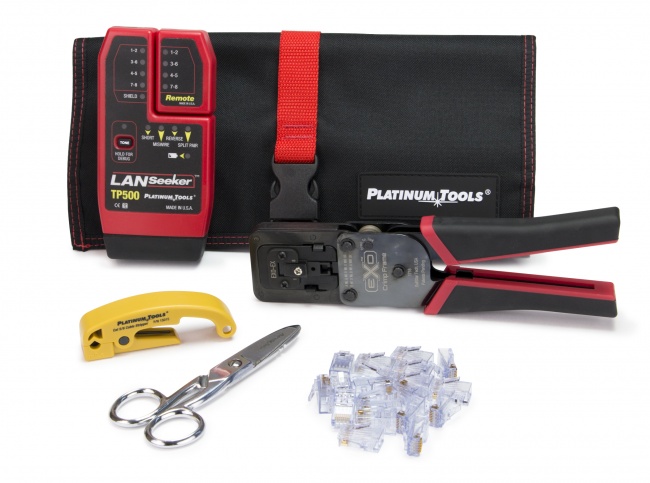
- EZ-RJ45 Cat6 connectors for patch cable production
- EZ-EX48 Cat6A connectors for premium Cat6A installs
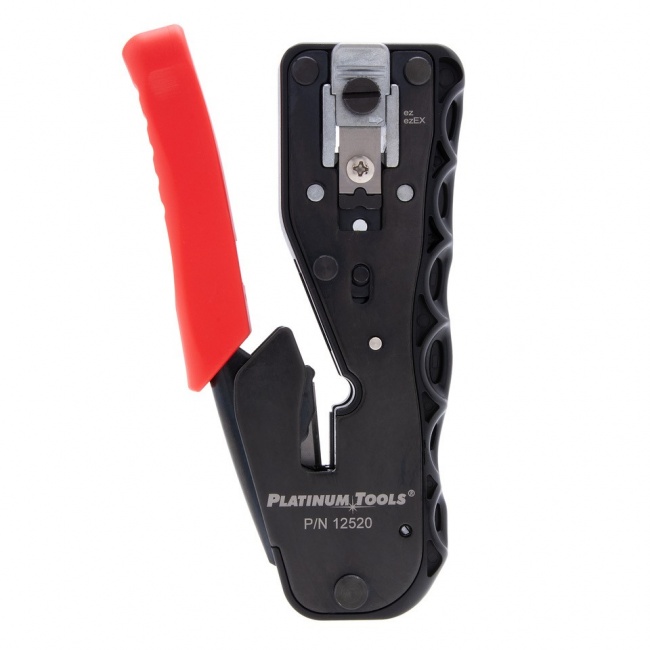
- EZ-EX crimp tool for one-pass crimping
- Multi-stripper for jacket prep
- Pro punchdown kit for keystone jack and patch panel termination
- VDV MapMaster 3.0 for wire map verification
Documentation for the Homeowner
Provide every homeowner with:
- Floor plan showing every drop location with cable ID
- SMC patch panel map showing port assignments
- Wire map test results for every drop
- Brief explanation of how to use the SMC
This documentation differentiates a thoughtful structured wiring install from a generic builder-grade pull.
Pricing Structure for Builders
Materials Cost
A typical 15-drop Cat6 package costs roughly $400-700 in materials (cable, jacks, faceplates, SMC, patch panel) for a standard home. Cat6A pushes this to $500-900. Premium packages with whole-home audio and outdoor cameras can reach $1,500-2,500 in materials.
Labor
Cable pulls during framing typically take 1-2 person-days for a standard package, plus another 0.5-1 person-day for terminations and testing after drywall. Total labor is 12-20 hours for most homes.
Builder Markup
Builders typically charge homeowners 2-3x material+labor cost for structured wiring upgrades. A package costing $1,200 in material+labor might be sold to the homeowner for $2,500-3,500 as an upgrade option. This is a higher margin than most other home upgrades.
Including in Base Spec
Some builders include a basic structured wiring package in the base home spec to differentiate against competitors. This typically costs the builder $800-1,200 per home and adds significant marketing value: every floor plan can advertise "structured wiring included" without per-home pricing complexity.
Common Builder Mistakes
- SMC in a hot closet. Master closet, pantry, or other enclosed space without ventilation. Heat builds up, equipment fails, customer support calls follow.
- Underbuilding drop count. Two drops per home is not enough for modern buyers. The cost difference between 8 drops and 16 drops is small, the perceived value is large.
- No ceiling AP drops. Wi-Fi from a router in the SMC has dead zones. Ceiling-mounted APs in central locations are how modern home Wi-Fi works.
- Specifying Cat5e to save money. Cat5e is obsolete for new construction. The materials savings are tiny and the buyer perception is "they cheaped out."
- Skipping outdoor drops. Outdoor APs and security cameras are increasingly common. Pull at least 2-4 outdoor-rated drops to standard locations during construction.
- No documentation for the homeowner. The buyer who finds an unlabeled mess of cables in the SMC is a frustrated buyer. Provide a clean documentation package.
- Hiring electricians instead of structured cabling specialists. Some electricians do excellent structured wiring; others apply NEC habits to data cable and create problems. Read our electrician's guide to structured cabling for the boundary.
Related Articles
Frequently Asked Questions
What is residential structured wiring?
Residential structured wiring is a home network cabling system where every data, voice, video, and audio cable home runs back to a central termination cabinet called a Structured Media Center (SMC). From the SMC, residents connect a router, switch, and other equipment to power the home network. The system uses standardized cabling (typically Cat6 or Cat6A) and follows commercial structured cabling principles adapted for residential scale.
How many drops should a new home have?
A baseline residential structured wiring package includes 12-20 drops in a typical 3-bedroom home: 2 drops at the primary TV wall, 1-2 drops in each bedroom, 2 drops in the home office, 1 drop in the kitchen, 1 drop on each ceiling for Wi-Fi access points, plus drops for security cameras and smart home equipment. Premium packages double these counts and add fiber, coax for cable TV, and audio cabling for whole-home audio systems.
Where should the structured media center be located?
The SMC should be in a central location to minimize cable run lengths, on a ventilated wall (not in a closet that traps heat), with access to a 110V outlet, and ideally near where the ISP service enters the home. Common locations include utility rooms, basement walls near the electrical panel, or dedicated mechanical closets. Avoid placing the SMC in a master closet or pantry where heat dissipation is poor and access is inconvenient.
What cable category should be used in new home construction?
Cat6 is the minimum standard for new home construction. Cat6A is the recommended choice for builders targeting tech-conscious buyers because it supports 10GBASE-T which will become standard for home networks within the cable's lifespan. The materials cost difference is small relative to home construction budgets, and the future-proofing value is high. Avoid Cat5e for any new home construction.
How much does residential structured wiring cost a builder?
A baseline 15-drop residential structured wiring package typically costs builders $1,500-$3,000 in materials and labor for a new construction home, depending on size and complexity. Premium packages with whole-home audio, fiber backbone, and 25+ drops can run $5,000-$10,000. Builders typically charge homeowners 2-3x cost as an upgrade, making structured wiring one of the higher-margin upgrade options in the new home construction package.
Equip the Residential Crew
New construction structured wiring runs on speed and consistency. Stock connectors, crimpers, and testers that produce repeatable results across every floor plan.