The Quick Answer
If you have looked at a bag of RJ45 plugs and noticed they are labeled "Cat5e" or "Cat6" or "Cat6A," you may have wondered whether the labeling actually matters. It does. The plug is a calibrated component with specific internal geometry, contact blade design, and crosstalk-cancellation features that differ across categories. Using the wrong category plug on a high-category cable means the link performs at the lower of the two ratings.
This article covers every modular plug category from Cat3 through Cat8, what each one is used for, the cable types they accept, and which ones you should actually be stocking in your toolkit.
What "Modular Plug" Actually Means
Modular plug is the formal term for what installers usually call an RJ45 connector. The term comes from the original Bell System standardization of telephone connectors as a "modular" interface that could replace hardwired connections. The 8P8C (8 position, 8 conductor) variant became the standard for Ethernet, and over time the categories developed as Ethernet speeds increased.
Important distinction: "RJ45" is technically a specific telephone wiring scheme using an 8P8C connector for a single-line keyed jack. Network engineers use "RJ45" colloquially to mean any 8P8C plug used for Ethernet. The body shape and pin layout are identical regardless of category. The internal wire channel sizing, contact blade geometry, and crosstalk-control features change across categories.
For a deeper dive on the connector taxonomy, see RJ45 Connector Types Explained.
Cat3: Voice and Legacy Data
Cat3 was the standard for voice telephone and 10BASE-T Ethernet in the early 1990s. It supports 16 MHz of bandwidth, which is enough for 10 Mbps Ethernet over 100 meters. The plug is dimensionally identical to higher-category RJ45 plugs but with relaxed crosstalk requirements.
- Bandwidth: 16 MHz
- Max speed: 10 Mbps Ethernet (10BASE-T)
- Common use: Voice telephone, legacy data, intercom systems, alarm systems
- Conductor count: Often 4-pair but commonly used in 2-pair (4-wire) phone configurations
You will encounter Cat3 in older buildings where voice telephone was extensively installed, in legacy POTS lines, and occasionally in low-speed industrial control applications. For new installations, Cat3 has been displaced by Cat5e even for voice because the cable cost difference is minimal and the upgrade path is built in.
Cat5: Obsolete
Cat5 (without the "e") supported 100 Mbps (Fast Ethernet) up to 100 meters at 100 MHz bandwidth. It was the dominant standard from the mid-1990s through the early 2000s. It has been formally obsolete since 2001 when Cat5e replaced it.
You may encounter Cat5 plugs in old patch cables and legacy installations, but no current product line includes Cat5. Cat5e plugs are backward compatible and have replaced Cat5 entirely. If you have a Cat5 patch cable that works, it will continue to work for low-speed applications, but do not specify Cat5 for any new work.
Cat5e: Current Floor for New Installs
Cat5e (Category 5 enhanced) is the minimum category recommended for any new network installation. It supports Gigabit Ethernet at 100 meters and remains widely deployed in residential and small commercial networks.
- Bandwidth: 100 MHz
- Max speed: 1 Gbps (1000BASE-T) at 100m
- Conductor size: Typically 24 AWG
- Common use: Residential networking, voice, low-speed commercial drops
- Plug example: EZ-RJ45 Cat5/5e for unshielded, Shielded EZ-RJ45 Cat5/5e for STP
Cat5e plugs are the smallest and easiest to terminate of the modern categories. Their wire channels accept 24 AWG conductors with standard insulation, and the contact blade geometry is designed for the 100 MHz bandwidth requirements. They are not certified to Cat6 performance, so do not use them on Cat6 cable when you need Cat6-rated performance.
Cat6: Current Standard for Most Commercial Work
Cat6 supports 10 Gigabit Ethernet up to 55 meters and 1 Gigabit Ethernet at 100 meters. It is the most commonly specified cable category for new commercial work today, balancing performance with cost.
- Bandwidth: 250 MHz
- Max speed: 10 Gbps (10GBASE-T) to 55m, 1 Gbps to 100m
- Conductor size: 23 AWG
- Common use: Commercial structured cabling, data center copper, anywhere 10G might be needed at moderate distances
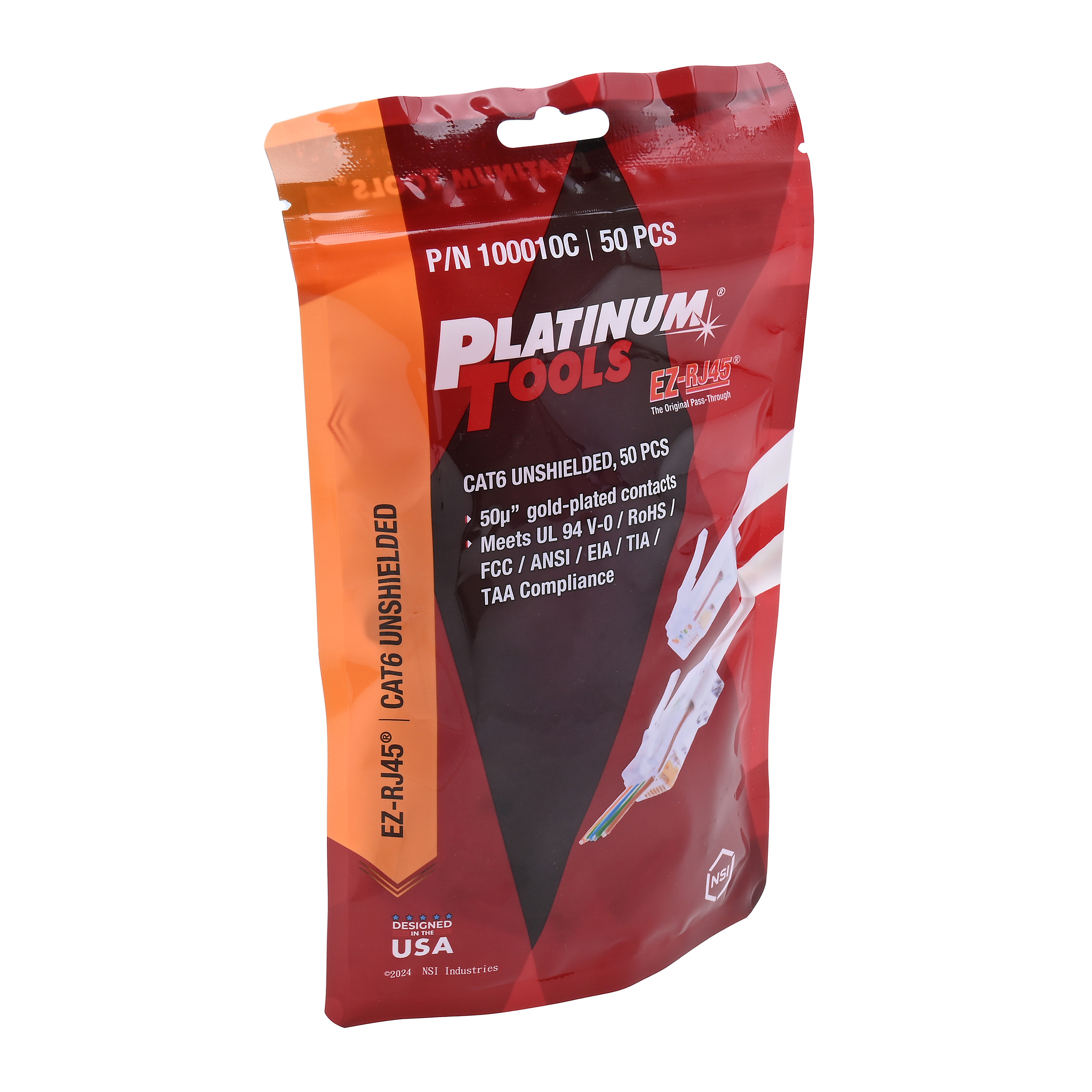
- Plug examples: EZ-RJ45 Cat6, ezEX44 Cat6, Shielded EZ-RJ45 Cat6
Cat6 plugs are noticeably different from Cat5e plugs internally. The wire channels are wider to accept 23 AWG conductors, and the contact blade geometry is tuned for the higher bandwidth. The internal isolation between pairs is also tighter to control NEXT at 250 MHz.
For the difference between Cat6 and Cat6A, see Cat6 vs Cat6A.
Cat6A: Current Standard for 10G at Full Distance
Cat6A (Augmented Cat6) is the current standard for installations that need 10GBASE-T at the full 100-meter distance. It is the future-proof choice for new commercial cabling and is increasingly specified for data center horizontal cabling.
- Bandwidth: 500 MHz
- Max speed: 10 Gbps (10GBASE-T) to 100m
- Conductor size: 23 AWG (some 22 AWG)
- Common use: 10G horizontal cabling, future-proofed enterprise drops, dense bundle environments
- Plug examples: ezEX48 Cat6A, Cat6A/7 Shielded
Cat6A plugs have wider wire channels still (1.20mm vs 1.10mm for Cat6) to accommodate Cat6A cable's thicker insulation. The internal pair isolation is even tighter than Cat6 to handle the 500 MHz bandwidth, and the contact blade design must control crosstalk to higher frequencies.
For sizing the right ezEX connector, see ezEX44 vs ezEX48.
Cat7: ISO/IEC Only, Requires GG45 or TERA
Cat7 is an ISO/IEC 11801 standard that supports 10 Gbps at 100m with 600 MHz bandwidth. The catch: Cat7 was designed to use GG45 or TERA connectors, not standard RJ45. This connector requirement has prevented Cat7 from gaining widespread adoption because all networking equipment uses RJ45 ports.
- Bandwidth: 600 MHz
- Max speed: 10 Gbps to 100m
- Required connector: GG45 or TERA (not standard RJ45)
- Standards body: ISO/IEC only (no TIA backing)
- Common use: Limited; mostly European installations and specialty applications
You can buy "Cat7 cable" with RJ45 plugs already attached, but those products are technically not Cat7 because the RJ45 plugs cannot meet Cat7 performance specs. Such products are functionally Cat6A. For Cat7 cable terminated to RJ45, the closest in-spec option is the Cat7 Shielded RJ45, which gives Cat6A-equivalent performance through standard RJ45 ports.
For deeper coverage, see Cat6 vs Cat6A which explains why Cat6A covers most of what Cat7 was supposed to provide.
Cat8: 30-Meter Data Center Standard
Cat8 (specifically Cat8.1 under TIA-568.2-D) is the newest copper category. It supports 25 and 40 Gigabit Ethernet but only at distances up to 30 meters, making it a data center-only standard.
- Bandwidth: 2000 MHz
- Max speed: 25 Gbps (25GBASE-T) and 40 Gbps (40GBASE-T)
- Max distance: 30 meters
- Required cable: S/FTP shielded
- Required connector: Shielded RJ45 (Cat8.1) or non-RJ45 (Cat8.2)
- Common use: Data center top-of-rack to server interconnects
Cat8 plugs are dimensionally similar to Cat6A shielded plugs but with even tighter internal tolerances. The 30-meter distance limit makes Cat8 unsuitable for horizontal cabling in offices or buildings. For most installations, Cat8 is irrelevant.
All Categories Compared
Here is the full breakdown across every modular plug category in current use.
| Category | Bandwidth | Max Speed | Max Distance | Connector | Status |
|---|---|---|---|---|---|
| Cat3 | 16 MHz | 10 Mbps | 100 m | RJ45 / RJ11 | Voice only |
| Cat5 | 100 MHz | 100 Mbps | 100 m | RJ45 | Obsolete |
| Cat5e | 100 MHz | 1 Gbps | 100 m | RJ45 | Current floor |
| Cat6 | 250 MHz | 10 Gbps to 55m | 100 m (1G) | RJ45 | Common |
| Cat6A | 500 MHz | 10 Gbps | 100 m | RJ45 | Future-proof |
| Cat7 | 600 MHz | 10 Gbps | 100 m | GG45 / TERA | Limited (ISO) |
| Cat7A | 1000 MHz | 10 Gbps+ | 100 m | GG45 / TERA | Very limited |
| Cat8.1 | 2000 MHz | 40 Gbps | 30 m | Shielded RJ45 | Data center |
| Cat8.2 | 2000 MHz | 40 Gbps | 30 m | RJ45 or non-RJ45 | Data center |
For most new installations, Cat6 or Cat6A plugs are the right specification. Cat5e remains acceptable for residential and low-speed commercial drops.
How to Match Plug to Cable
The plug rating must equal or exceed the cable rating for the link to perform at the cable's spec. Putting Cat5e plugs on Cat6 cable downgrades the link to Cat5e. Putting Cat6A plugs on Cat5e cable does not hurt anything but is unnecessary cost.
- Cat5e cable: Use Cat5e plugs (cheapest) or Cat6 plugs (works fine, slightly more expensive).
- Cat6 cable: Use Cat6 plugs. Cat5e plugs work mechanically but downgrade performance. Cat6A plugs work and provide headroom but cost more.
- Cat6A cable: Use Cat6A plugs (specifically ezEX48 or equivalent). Lower-rated plugs will downgrade performance and may not physically fit the thicker conductors.
- Cat7 cable: For full Cat7 performance, use GG45 or TERA. For practical RJ45 termination, use Cat7 Shielded RJ45 and accept Cat6A-equivalent performance.
- Shielded cable (any category): Use the shielded plug variant for that category. The Cat6A/7 Shielded covers Cat6A and Cat7 STP cable.
What to Stock
For a working installer, the practical kit is narrower than the full category list suggests:
- Cat5e EZ-RJ45: For residential and voice work.
- Cat6 EZ-RJ45 or ezEX44: For most commercial drops.
- ezEX48 Cat6A: For 10G installations and as a universal Cat6/Cat6A choice.
- Cat6A/7 Shielded: For shielded cable runs and EMI environments.
- ezEX-RJ45 Universal: If you want one plug for Cat5e through Cat6A.
This five-connector kit handles 95% of what you will encounter. For Cat3 voice work, the same Cat5e plug serves fine. For Cat7 and Cat8, the use cases are narrow enough that you can order specialty plugs job-by-job rather than stocking them.
Cable Marketing Claims to Ignore
"Cat7" cable with RJ45 plugs
Real Cat7 requires GG45 or TERA connectors. Anything sold as Cat7 with pre-attached RJ45 plugs is functionally Cat6A. Do not pay a Cat7 premium for what is actually Cat6A.
"Cat8 ready" cable
Cat8 has a 30-meter distance limit by physics. A cable longer than 30 meters cannot operate at Cat8 speeds, regardless of marketing. "Cat8 ready" usually means Cat6A or shielded Cat6A.
"Future-proof" claims above Cat6A
Cat6A handles 10GBASE-T to 100m, which is the foreseeable future-proof target for copper Ethernet in horizontal cabling. Anything above Cat6A is either niche (Cat7) or distance-limited (Cat8). Cat6A is the future-proof choice for new building cabling.
Related Reading
Recommended Products
Modular Plugs by Category
The right plug for each cable category
Cat5e for residential. Cat6 EZ-RJ45 or ezEX44 for commercial. ezEX48 for Cat6A. Cat6A/7 Shielded for STP runs.
Compatible Crimp Tools
Tools that handle the full plug category range
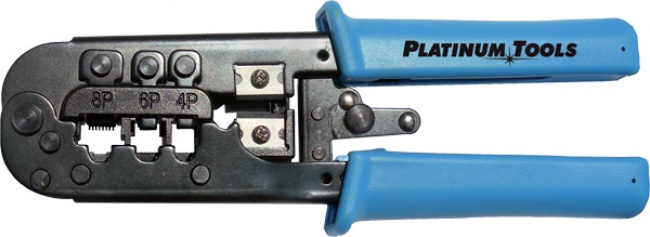
PTS PRO is the universal pick. EzEX for the Platinum Tools family. Tele-Titan for legacy and entry-level.
Stripping and Testing
Prep and verify your terminations
Strip cleanly, then verify wire map and length.
Frequently Asked Questions
What are the categories of modular plugs?
Modular plug categories include Cat3 (16 MHz, 10 Mbps voice and legacy data), Cat5e (100 MHz, 1 Gbps), Cat6 (250 MHz, 10 Gbps to 55m), Cat6A (500 MHz, 10 Gbps to 100m), Cat7 (600 MHz, requires GG45 or TERA), and Cat8 (2000 MHz, 25-40 Gbps to 30m). Cat5 (without the e) is obsolete and Cat3 is mostly limited to voice today.
What is the difference between Cat5e and Cat6 plugs?
Cat6 plugs have wider wire channels and slightly different internal geometry to handle Cat6 cable's larger 23 AWG conductors and tighter NEXT requirements. Cat5e plugs typically accept smaller 24 AWG conductors. Using a Cat5e plug on Cat6 cable may work but is not certified to Cat6 performance levels.
Are all RJ45 plugs the same?
No. All RJ45 plugs share the same 8P8C body dimensions and physical interface, but their internal wire channels, contact blade geometry, and category ratings differ. A Cat5e plug, a Cat6 plug, and a Cat6A plug all look identical from the outside but have different conductor diameter ranges and performance specifications.
Do I need Cat6 plugs for Cat6 cable?
Yes if you want certified Cat6 performance. The plug is part of the link and the link performance is rated to the lowest-rated component in the chain. Using a Cat5e plug on Cat6 cable means the link is performing at Cat5e levels regardless of the cable. For 10G applications, use Cat6 or Cat6A rated plugs.
What is Cat7 and is it worth using?
Cat7 is an ISO/IEC standard that requires GG45 or TERA connectors instead of standard RJ45. It supports 10 Gbps at 100m with 600 MHz bandwidth. Cat7 has limited adoption because most networking equipment uses RJ45 ports, and Cat6A already covers the 10 Gbps use case with standard connectors. For most installations, Cat6A is the practical choice.
Match the Plug to the Cable
The right plug category for your cable means the link performs at spec. Browse modular plugs sorted by category and crimpers that handle every type.