The Quick Answer
Crossover cables solved a specific problem in the days before Auto-MDIX: when two devices both transmit on pins 1-2 and receive on pins 3-6, you cannot connect them directly with a straight-through cable because they would be talking on the same pair and listening on a silent pair. The crossover cable rearranges the wiring so each device's transmit ends up at the other device's receive.
Modern equipment handles this in firmware. But the cable itself is still useful, and building one from scratch is a five-minute job.
When You Actually Need a Crossover Cable
Most low-voltage installers build maybe two crossover cables a year. Here are the legitimate use cases.
Legacy 10/100 equipment
Some older 10/100 hubs, switches, and NICs lack Auto-MDIX and require an explicit crossover cable to connect two of them directly. Auto-MDIX became standard around 2003 on Gigabit equipment and worked its way down to 100 Mbps gear, but plenty of legacy hardware predates the feature.
Industrial automation
Some PLCs, industrial routers, and field automation devices specify crossover cables in their documentation, even on modern hardware. Following the spec sheet is the right answer; do not assume the device is wrong because Auto-MDIX is universal on enterprise gear.
Direct PC-to-PC transfers
Connecting two computers directly to transfer files (when no switch is available, no Wi-Fi, and no USB cable). Modern PCs all have Auto-MDIX so a straight-through works fine, but a crossover cable is the canonical answer for this scenario.
Console and management ports
A small number of network devices use a "rolled" cable for console access (which is different from a crossover) or a crossover for management. Read the device's manual.
When you do NOT need one
You do not need a crossover cable for any of the following:
- Connecting a PC to a switch (use straight-through)
- Connecting a PC to a router (use straight-through)
- Connecting one switch to another modern switch (use straight-through, Auto-MDIX handles it)
- Daisy-chaining gigabit access points (use straight-through)
- Connecting any two devices where at least one supports Auto-MDIX (which is essentially all current equipment)
The Wiring Difference
A crossover cable uses two different wiring standards: T568A on one end and T568B on the other. The pin-to-pin mapping looks like this.
| Pin | End A (T568A) | End B (T568B) |
|---|---|---|
| 1 | White/Green | White/Orange |
| 2 | Green | Orange |
| 3 | White/Orange | White/Green |
| 4 | Blue | Blue |
| 5 | White/Blue | White/Blue |
| 6 | Orange | Green |
| 7 | White/Brown | White/Brown |
| 8 | Brown | Brown |
Notice that pins 4-5 (blue pair) and 7-8 (brown pair) are identical on both ends. Only pins 1-2 and 3-6 swap. For 10BASE-T and 100BASE-T, only pins 1-2 and 3-6 are used at all, so swapping those pairs is sufficient. For Gigabit and faster, all four pairs are used, but the blue and brown pairs do not need to be crossed because Gigabit Ethernet handles signaling differently and Auto-MDIX is built in.
For more on the standards, see our T568A vs T568B guide.
What You Need
Materials
- Stranded Cat5e or Cat6 cable in the desired length
- Two RJ45 connectors
- Two strain relief boots (optional but recommended)
Tools
- Cable jacket stripper
- Diagonal cutters
- Crimp tool matched to your connectors
- Cable tester for verification
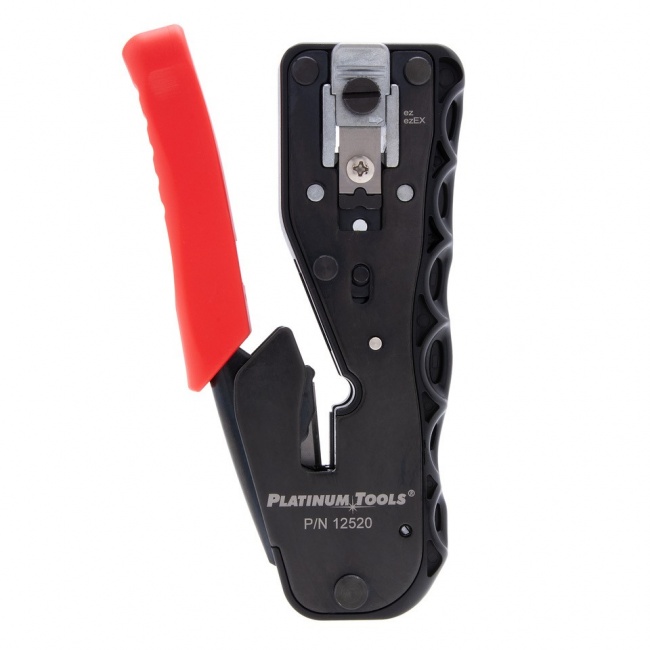
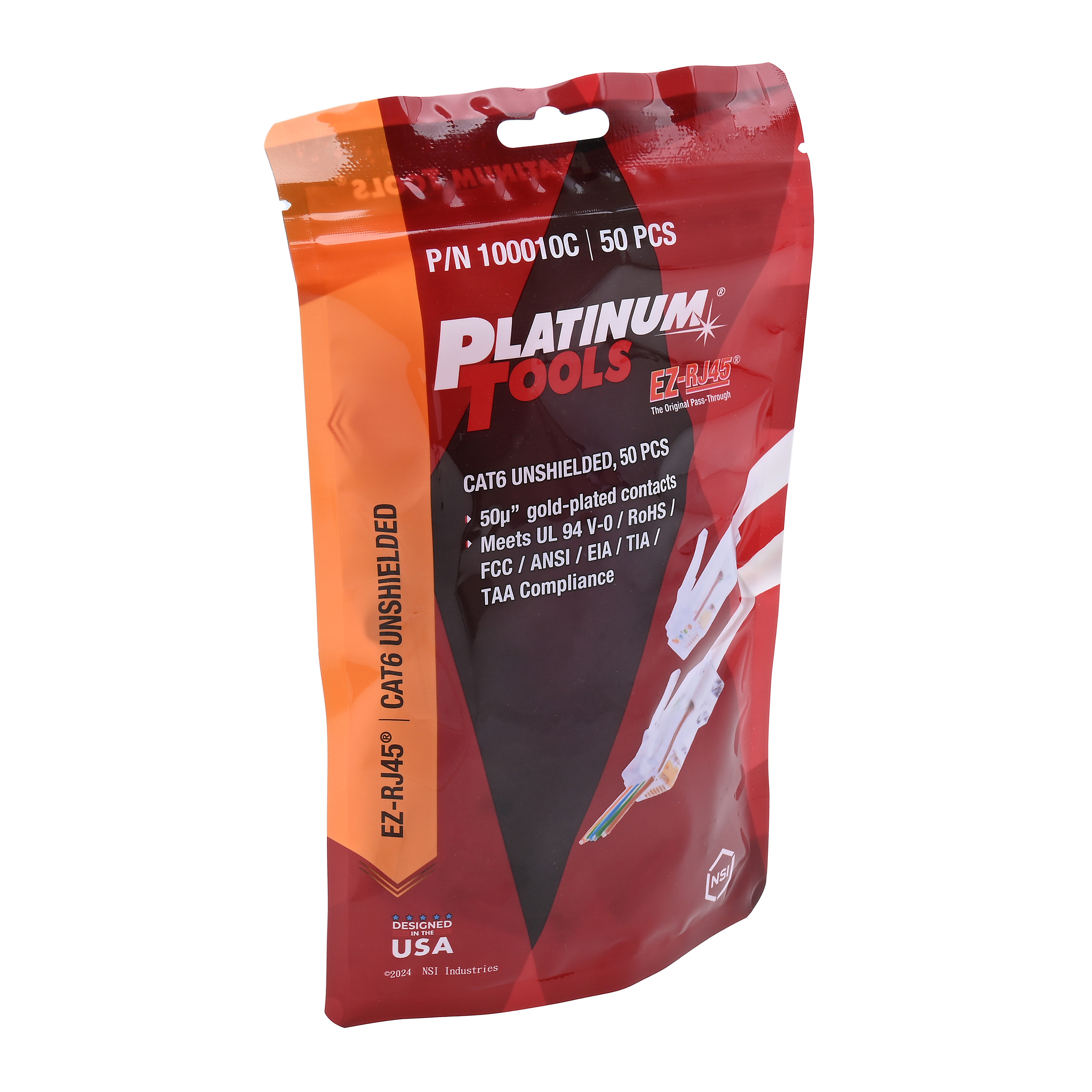
For a single-tool kit that handles connectors, strippers, and crimping, the ezEX Termination Kit bundles everything you need to build patch and crossover cables. For just the connectors, EZ-RJ45 Cat5/5e is the simplest choice for crossover work since most legacy equipment that requires a crossover cable runs at 100 Mbps or below.
Step 1: Cut and Slide on the Boots
Cut the cable to your desired length with a few inches of slack. Slide a strain relief boot onto each end before doing anything else. The boots cannot be added after crimping. Push them well back from each end so they do not interfere with stripping and termination.
Step 2: Strip and Prepare End A (T568A)
Strip 1.5 inches of jacket off one end. Untwist the pairs. Lay the eight conductors flat in T568A order:
End A (T568A)
- 1: White/Green
- 2: Green
- 3: White/Orange
- 4: Blue
- 5: White/Blue
- 6: Orange
- 7: White/Brown
- 8: Brown
End B (T568B)
- 1: White/Orange
- 2: Orange
- 3: White/Green
- 4: Blue
- 5: White/Blue
- 6: Green
- 7: White/Brown
- 8: Brown
Insert the wires into a connector. If you are using EZ-RJ45 Cat5/5e or another pass-through connector, push them all the way through and verify the order from the front of the connector. Crimp with the matching crimp tool.
Step 3: Strip and Prepare End B (T568B)
Strip 1.5 inches off the other end. Untwist the pairs. Lay the eight conductors flat in T568B order. Insert into a connector, verify, and crimp.
Slide the boots up onto each connector to lock the strain relief in place.
Step 4: Test the Cable
Plug both ends into a cable tester. The result will look "wrong" compared to a straight-through cable; that is expected for a crossover.
| Pin Mapping (Tester Display) | Result |
|---|---|
| 1 to 3 | Correct (orange pair crossed to green pair position) |
| 2 to 6 | Correct |
| 3 to 1 | Correct (green pair crossed to orange pair position) |
| 4 to 4, 5 to 5 | Correct (blue pair straight-through) |
| 6 to 2 | Correct |
| 7 to 7, 8 to 8 | Correct (brown pair straight-through) |
A standard wire map tester will report this as "crossed pair" between pins 1-2 and 3-6. That is the correct result for a crossover cable. Verify continuity and that there are no opens or shorts. Some testers have a dedicated crossover mode that will display the result as "Pass - Crossover."
For more capable testing, the VDV MapMaster 3.0 shows the actual pin-to-pin mapping graphically, which makes it easy to verify the crossover pattern is correct.
Crossover vs Straight-Through Quick Reference
Straight-Through
- Same standard on both ends (typically T568B)
- Used for PC-to-switch, switch-to-router
- The default Ethernet patch cable
- Works with all Auto-MDIX equipment
- Pin 1 to pin 1, pin 2 to pin 2, etc.
Crossover
- T568A on one end, T568B on the other
- Used for legacy device-to-device direct links
- Mostly obsolete on modern Auto-MDIX equipment
- Required by some industrial automation gear
- Pins 1-2 and 3-6 swap; pins 4-5 and 7-8 straight
Common Mistakes
Wiring both ends to the same standard
Easy mistake when you build one end and walk away for an hour. Come back and instinctively wire the other end the same way. The result is a perfectly normal straight-through cable, which will not solve the problem you intended to solve. Label your ends with a piece of tape or a marker before walking away.
Half-crossover (only swapping one pair)
Some installers swap pin 1 with pin 3 but forget to swap pin 2 with pin 6 (or vice versa). The result is a split pair that fails wire map and produces unpredictable behavior. Always swap the entire pair, never one wire at a time.
Forgetting to test
Crossover cables look identical to straight-through cables from the outside. Without a tester, you cannot tell what you built. Always test before deploying.
Recommended Products
Connectors
Pass-through and standard RJ45 connectors
Most crossover cable applications run at 100 Mbps. Cat5e is the simplest choice; Cat6 covers higher speeds if needed.
Termination Kit
Complete kit with crimper, stripper, and connectors
Everything you need to build patch and crossover cables in one bundled kit.
Testing
Verify the crossover wiring is correct
A wire map tester confirms the crossover pattern is correct before you deploy the cable.
Related Articles
Frequently Asked Questions
What is a crossover cable used for?
A crossover cable directly connects two similar devices without a switch in between. Originally needed to link two computers, two switches, or two routers, the crossover cable swapped the transmit and receive pairs so each device could talk to the other. Modern equipment with Auto-MDIX detects the cable type and adjusts automatically, making crossover cables mostly obsolete on current hardware.
Do I still need a crossover cable in 2026?
Rarely. All Gigabit and faster Ethernet ports support Auto-MDIX, which automatically detects whether the cable is straight-through or crossover and adjusts the port accordingly. You only need a crossover cable when connecting older 10/100 Mbps equipment without Auto-MDIX, certain industrial automation devices, or when explicitly required by a piece of legacy equipment's documentation.
What is the wiring difference between a crossover and straight-through cable?
A straight-through cable uses the same wiring standard (T568A or T568B) on both ends. A crossover cable uses T568A on one end and T568B on the other. This swaps the orange and green pairs, so the transmit pair on one end becomes the receive pair on the other end.
Will a crossover cable damage modern equipment?
No. Auto-MDIX equipment automatically adjusts to a crossover cable and works normally. There is no damage from plugging a crossover cable into modern hardware.
How do I test a crossover cable?
Plug both ends into a cable tester. The wire map will show pins 1 and 2 on one end connected to pins 3 and 6 on the other end (and vice versa). The blue pair (4-5) and brown pair (7-8) remain straight-through. The VDV MapMaster 3.0 shows this graphically.
Build Patch and Crossover Cables in Any Length
Stock the connectors, tools, and testers to build any cable type on demand. The ezEX Termination Kit is the fastest way to get started.